Create polished documents fast
Build invoices and estimates with saved clients, reusable services, tax, discounts, deposits, notes, terms, logos, and clean PDF output.
Create professional invoices. Get paid faster.
BillArrow brings invoices, estimates, clients, follow-ups, payment tracking, and email sending into one easy dashboard for growing service businesses.
One clear arrow from sent to viewed to paid.

BillArrow
Aim. Send. Get Paid.
Connected and dependable
Connect the services that support your billing workflow without pretending every business works the same way.
Stripe
Online payments
Gmail
Own-email sending
Outlook
Microsoft mailboxes
SMTP
Hosted business email
PDF invoices
Clean document output
Secure cloud
Private workspaces
Product demo
See how a client is added, an invoice is created and sent, the customer views it, pays through Stripe, and the balance moves to paid.
Aim. Send. Get Paid.
See BillArrow in action
Explore the parts of the product that service businesses use every day.
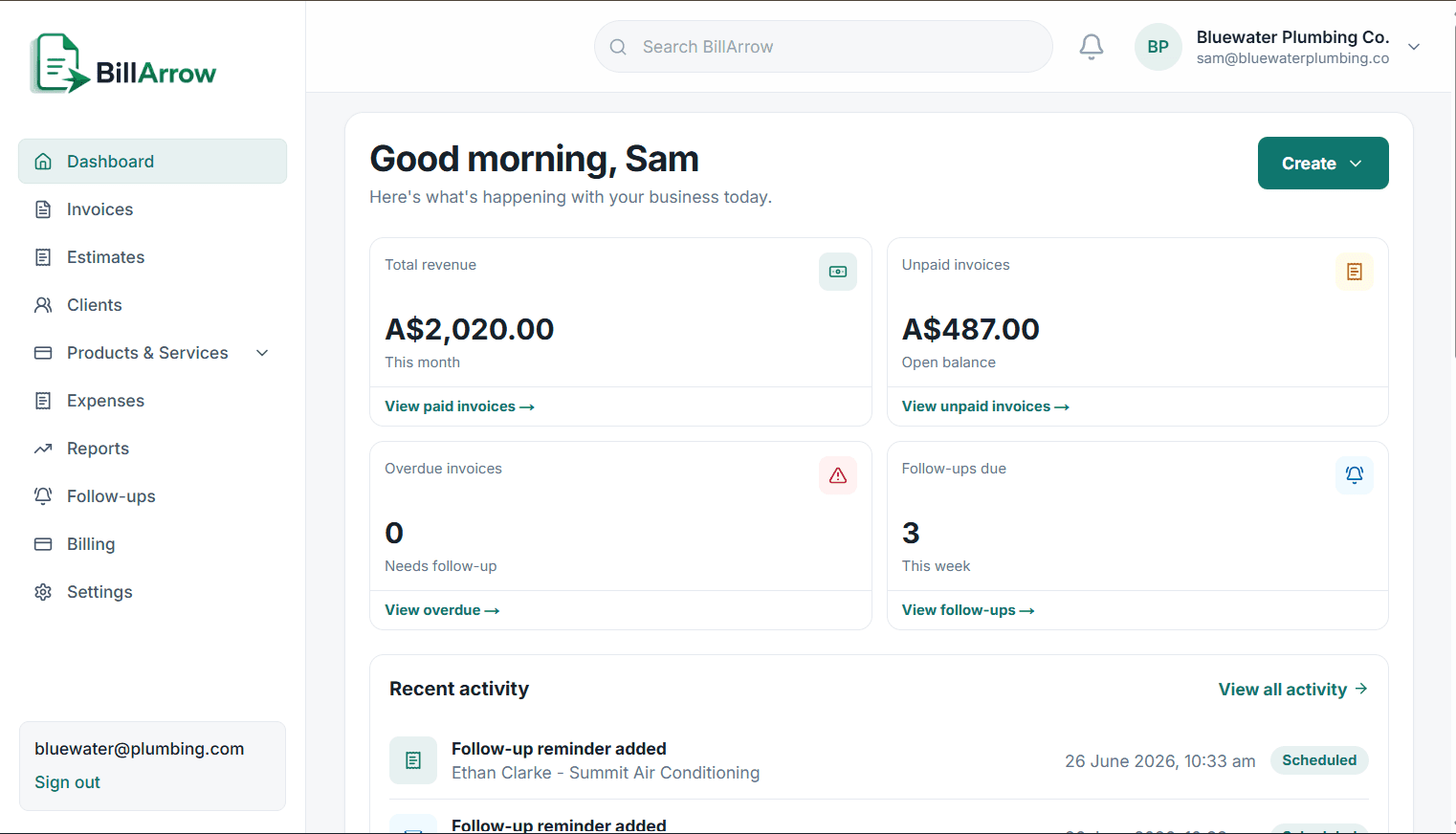
See revenue, unpaid work, overdue invoices, and follow-ups without digging.
One easy view of what needs attention.
Real BillArrow screen
Dashboard
Aim. Send. Get Paid.
The arrow is the point
BillArrow keeps the path clear from estimate to invoice, from sent to viewed, and from follow-up to payment. The arrow is more than a logo. It represents clarity, forward momentum, and a billing workflow that keeps moving until the invoice lands.
Aim clearly. Send confidently. Track what happens. Get paid.
Trades and field services
Cleaners and maintenance teams
Freelancers and consultants
Studios, agencies, and small teams
The invoice path
Step 1
Estimate
Step 2
Invoice
Step 3
Sent
Step 4
Viewed
Step 5
Reminder
Step 6
Paid
The animation pauses automatically when reduced motion is enabled.
Complete billing system
BillArrow stays focused on the operational work around getting paid, without turning into a heavy accounting suite.
Build invoices and estimates with saved clients, reusable services, tax, discounts, deposits, notes, terms, logos, and clean PDF output.
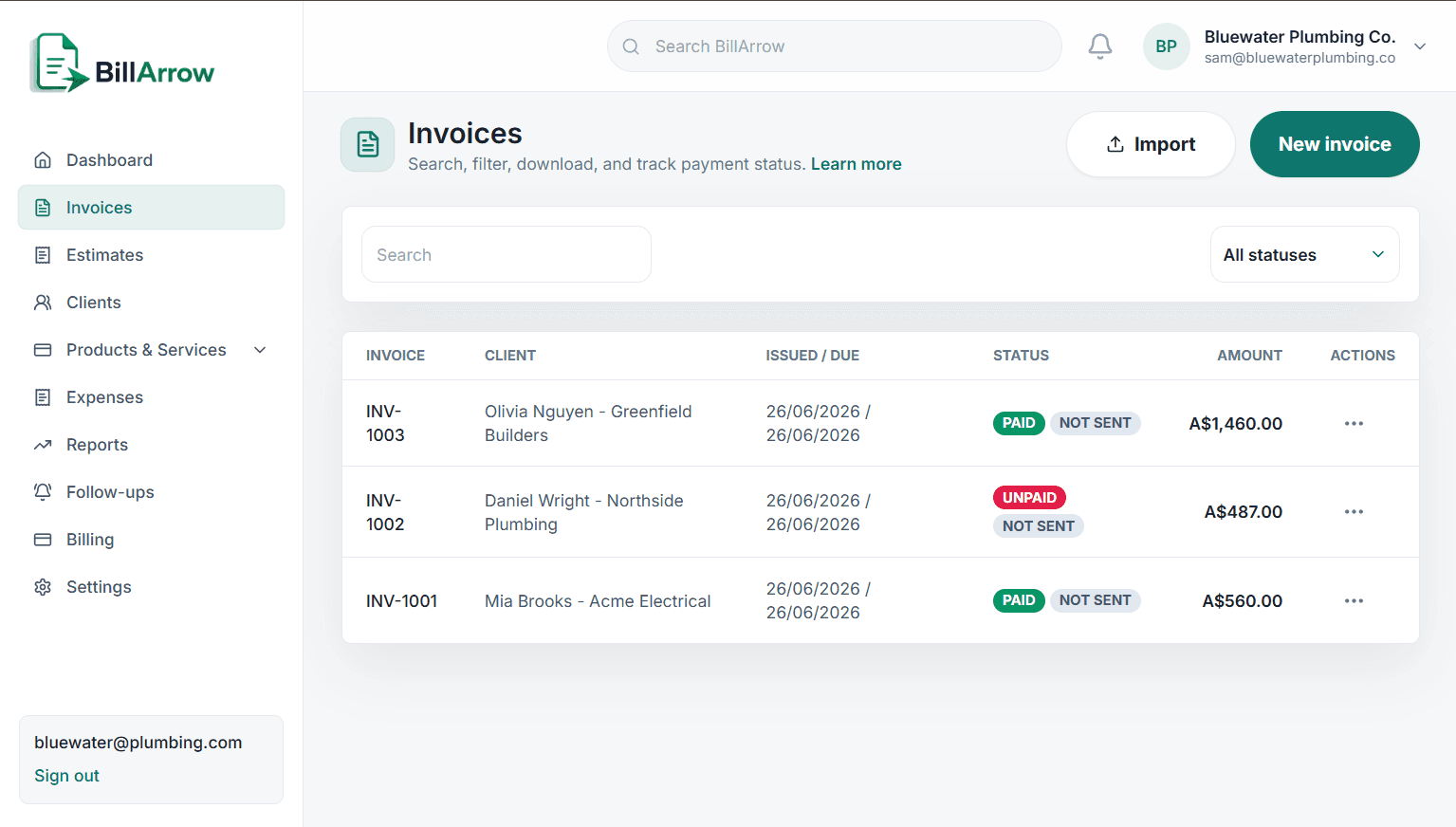
Track paid, unpaid, partially paid, overdue, sent, viewed, and draft work without digging through messages or spreadsheets.
Store contact details, notes, addresses, tax IDs, estimate follow-ups, client follow-ups, and invoice reminders in one place.
Save common work with tax-inclusive or pre-tax pricing so every invoice line item stays consistent and quick to add.
Connect email, preview message templates, send invoices or estimates, and keep clear delivery history attached to the right record.
Review revenue, unpaid balances, expenses, estimate pipeline, recent activity, and client movement from an easy dashboard.
Built around the real invoice flow
Instead of jumping between spreadsheets, email drafts, PDF files, and payment notes, BillArrow keeps the customer, document, payment, and reminder history together.
Set up your business details, logo, tax defaults, payment notes, templates, and email sender.
Add clients manually or let customers submit their details through your public client form.
Create estimates and invoices from saved services, products, discounts, deposits, and payment terms.
Send, track, follow up, record payments, and keep every customer touchpoint attached to the right job.
What changes with BillArrow
The bottom line is not more software. It is fewer loose ends: fewer forgotten quotes, fewer unpaid invoices hiding in email, and fewer client details scattered everywhere.
Follow-ups and reminders help you act before unpaid work disappears from view.
Expenses, receipts, products, services, invoice payments, and clients stay attached to the right business.
When Stripe is connected, customers can pay from the invoice link they receive.
Preview messages, use templates, and keep communication consistent without rewriting every email.
Built for daily work
Multiple business profiles for different brands, trading names, or side businesses
Admin-only settings for sensitive integration checks and account support
Stripe Connect support for online invoice payments when enabled
Gmail, Outlook, and SMTP sender options for different mailbox setups
Designed output
Add your logo, brand colour, tax settings, terms, payment details, and reusable line items. The document stays clean even when the job has deposits, discounts, payments, or longer client details.
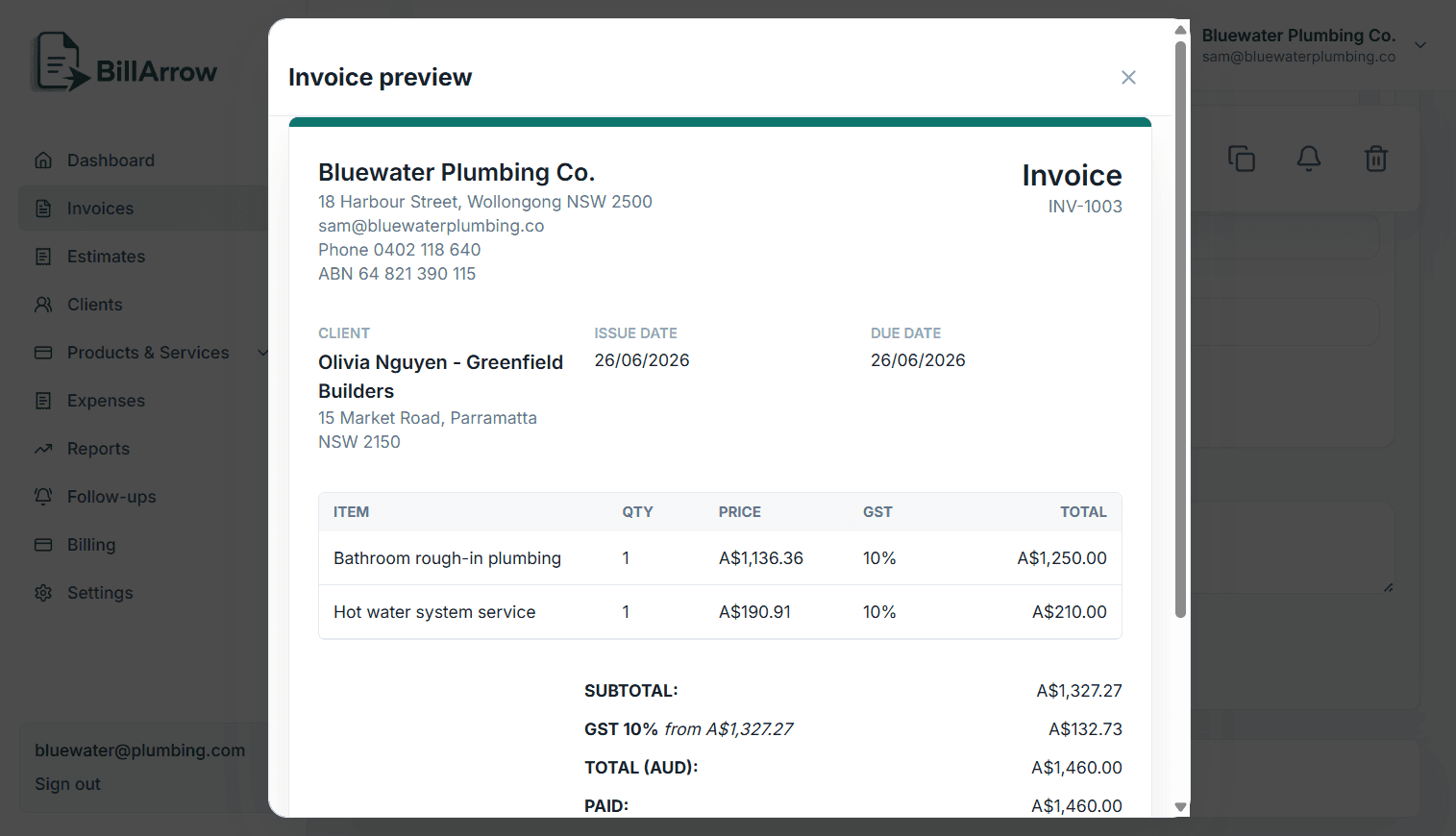
Invoice preview
A real BillArrow preview with client details, line items, tax, and totals.
PDF ready
Email preview
Payment tracking
Built for speed
Saved clients
Saved products and services
Reusable templates
Auto-filled business details
Fast invoice creation
Clean PDF output
Built by listening to service businesses
BillArrow is not trying to become a heavy accounting suite. It focuses on the daily billing flow: estimates, invoices, clients, payments, reminders, communication, and the records needed to understand what happened.
The goal is a calmer workspace that helps a service business finish its admin and move on.
Why businesses switch
You're probably tired of...
Complex interfaces
Paying for features you do not use
Manually chasing invoices
Scattered client details
Outdated-looking invoices
BillArrow gives you...
A focused invoicing workspace
Follow-ups and payment tracking
Professional branded documents
Clean client records
A calmer way to manage billing
Across every screen
BillArrow adapts from a wide desktop workspace to a focused mobile layout for checking clients, documents, payments, and follow-ups.
Desktop
Laptop
Tablet
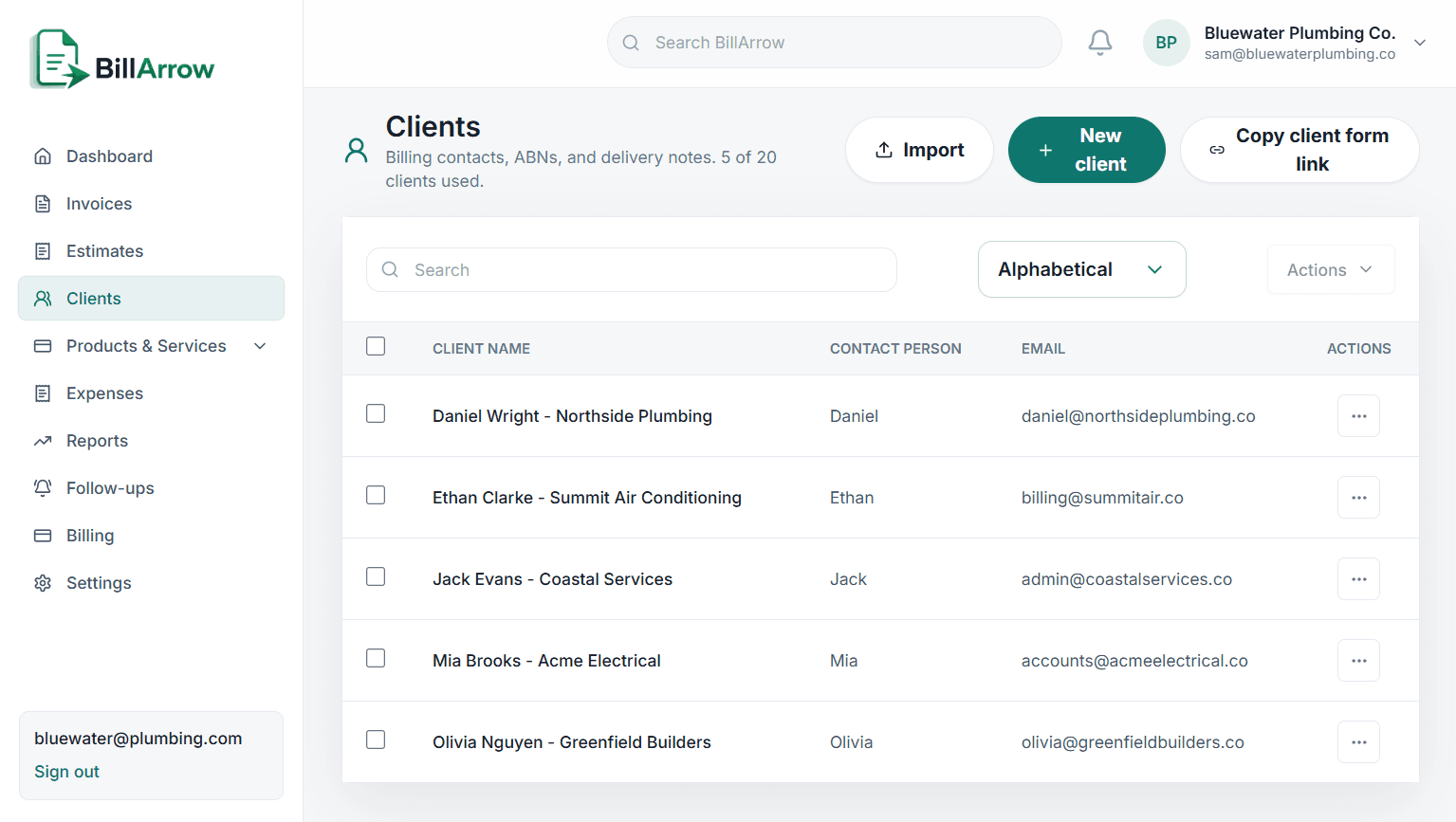
Mobile
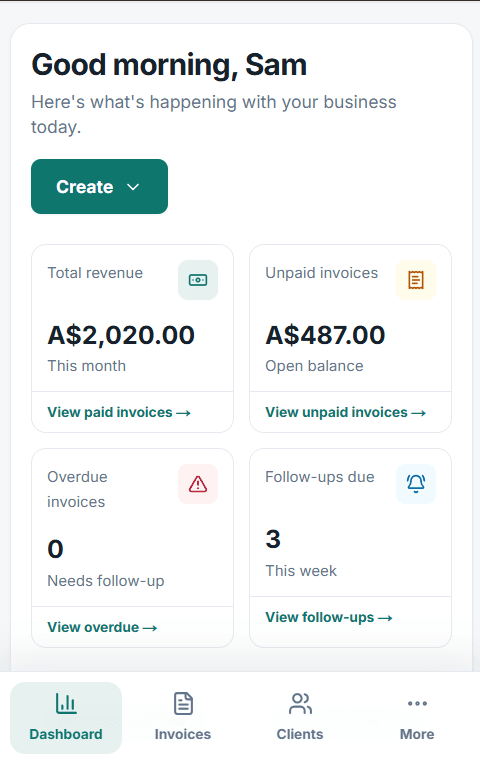
Import and setup
BillArrow currently includes CSV import tools for supported records. Start with your clients, products, and services; broader invoice-history migration tools are planned rather than promised.
Switching is easy
Create your account
Add your business details
Import or add clients and services
Send your first invoice
A fair comparison
BillArrow
Clean, modern interface
Built for service businesses
Focused invoicing workflow
Own-email sending options
Online payments and reminders
Simple pricing
Typical invoicing software
Cluttered interface
Built for accounting or general business
Many unnecessary features
More manual follow-up work
Pricing that takes longer to understand
A steeper learning curve
BillArrow uses established providers and production security controls to protect accounts, business data, and document access.
Secure authentication
HTTPS encrypted connections
Stripe-powered online payments
Private business workspaces
Secure document links
Responsible data handling
A calmer workflow
BillArrow does not try to be everything. It focuses on the part many service businesses feel every week: sending work, following up, getting paid, and keeping enough records to know what happened.
1
Create estimates, send them cleanly, and follow up when the customer goes quiet.
2
Turn accepted work into invoices with totals, terms, payment notes, and status tracking.
3
Record payments, chase overdue work, and keep client history easy to find.
Simple pricing
Keep the pricing clear on purpose. Try the app first, then move up when you need more usage, more automation, and stronger Stripe-powered payment workflows.
Select everything you need. You can still compare and choose any plan below.
Recommended
Starter
Starter is a clean fit for unlimited core invoicing.
A simple estimate based on reducing repetitive invoice entry by 40%. Actual savings will vary.
Hours/month
2.0
Hours/year
24
Estimated annual value
$1,200
For testing BillArrow with a few real documents.
$0/month
3 invoices/day
3 estimates/day
Up to 20 clients
BillArrow branding
For sole traders who want unlimited billing.
$6.99/month
Unlimited invoices
Unlimited estimates
Up to 50 clients
Basic payment tracking
Best for getting paid faster with email and reminders.
$12.99/month
Email sending
Payment reminders
Stripe payment links
Email templates
First month free, then $18.99/month for growing teams that need more control.
First month free
Try every Business feature today. Then $18.99/month.
$18.99/month
First month free
Multiple businesses
Client forms
Priority support
Advanced reports
Compare plans
Business is the cleanest long-term choice when you need client forms, multiple businesses, and stronger operational control.
Swipe sideways to compare every plan.
| Feature | Free | Starter | Pro | BusinessRecommended |
|---|---|---|---|---|
| Invoices | 3/day | Unlimited | Unlimited | Unlimited |
| Estimates | 3/day | Unlimited | Unlimited | Unlimited |
| Client records | Basic | Included | Included | Included |
| Email sending | - | - | Included | Included |
| Payment reminders | - | - | Included | Included |
| Client limit | 20 | 50 | Unlimited | Unlimited |
| Business trial | - | - | - | First month free, then $18.99/month |
| Client forms | - | - | - | Included |
| Multiple businesses | - | - | - | Included |
| Best fit | Trying it | Solo basics | Faster chasing | Serious service teams |
Questions, answered
Straight answers about clients, payments, email, plans, security, estimates, and mobile access.
No. Clients can receive invoices, view secure document links, and respond without creating a BillArrow account.
Yes, when Stripe is connected and online payment is enabled for the invoice.
Yes. Add business details, logo, brand colour, tax settings, notes, terms, payment information, and saved line items.
Yes. BillArrow supports connected Gmail, Outlook, and SMTP mailbox options.
Yes. You can begin without Stripe and connect it from settings when you are ready to accept online payments.
Yes. The Free plan currently includes up to three invoices and three estimates per day.
Paid subscriptions can be managed through the Stripe billing portal. Cancellation takes effect according to the billing period shown there.
BillArrow uses authenticated accounts, encrypted HTTPS connections in production, private business workspaces, and secure provider integrations.
Yes. Estimates include sending, status tracking, follow-ups, and conversion into invoices.
Yes. The application is responsive and supports invoicing, estimates, clients, follow-ups, payments, and settings on mobile devices.
Ready when you are
Create your workspace, send your first invoice, and keep every payment moving with clear status tracking and follow-ups.
Aim. Send. Get Paid.